
inDISK Studio
DRIVES · INVENTORY · RECORD
A clear record of every external drive you own: what it is, what’s on it,
how healthy it is and when it was last backed up.
How it works
- 01
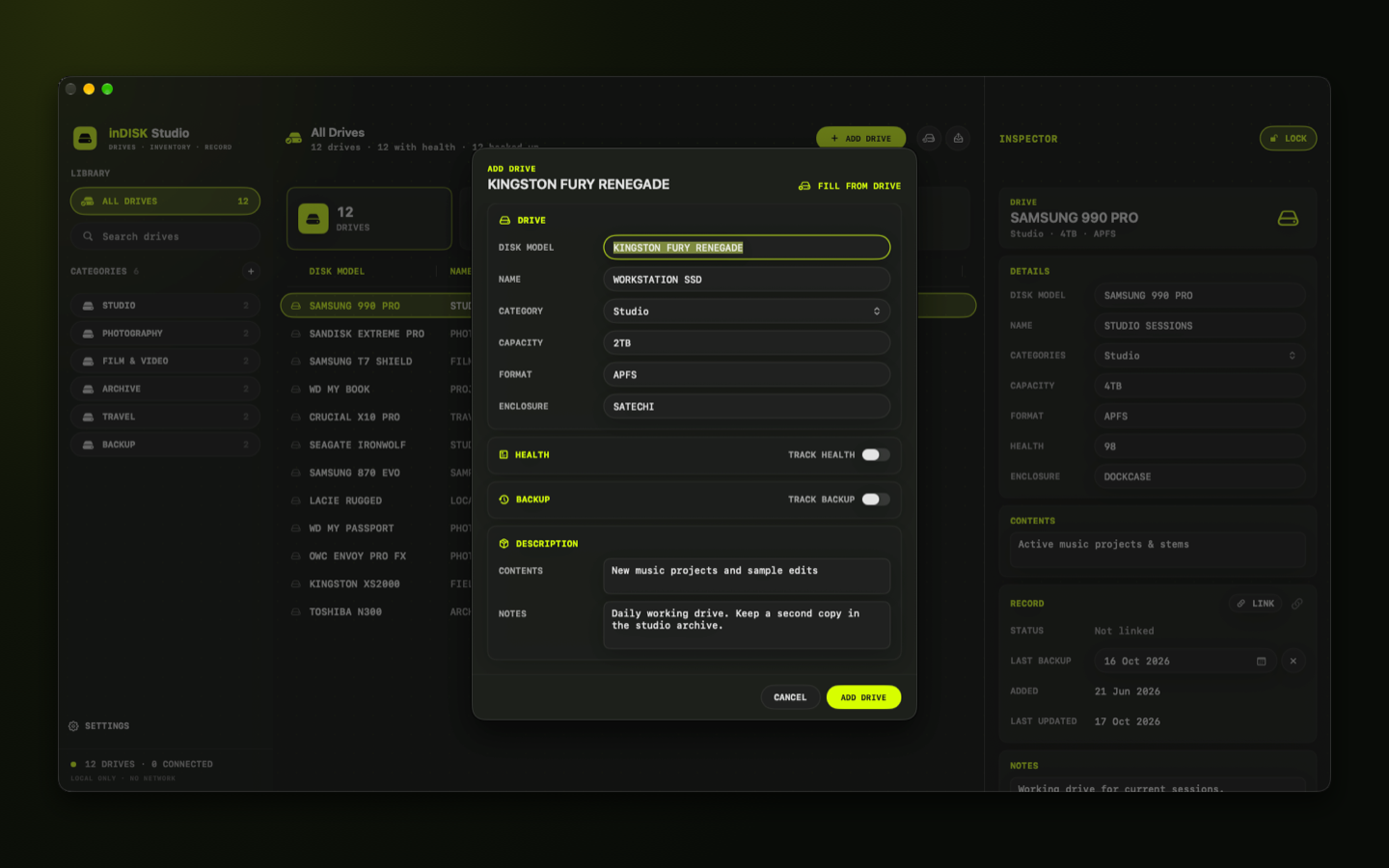
Add your drives
Disk model, name, capacity, format, enclosure, contents and notes, or fill the basics from a connected drive.
- 02
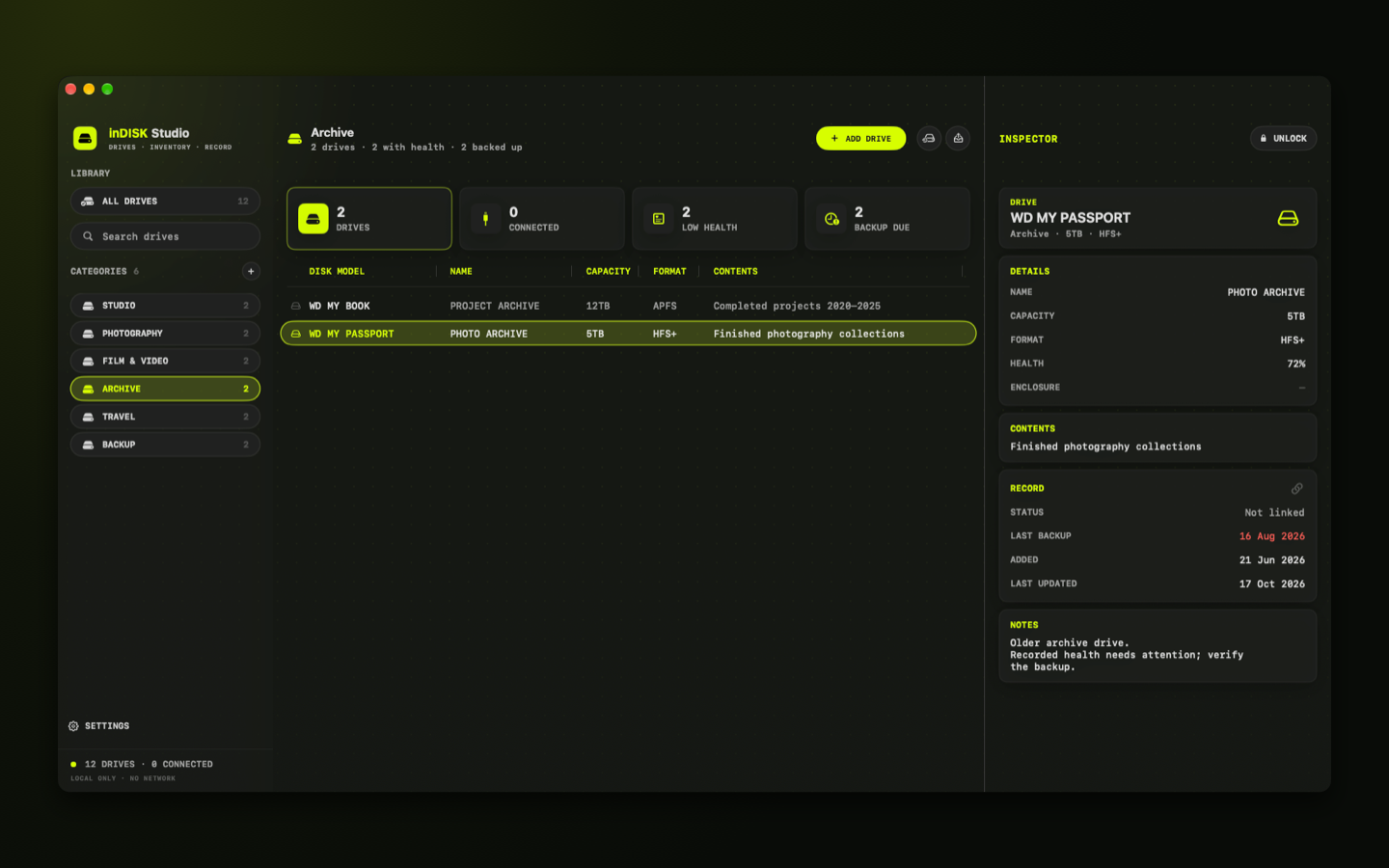
Organise by category
Group drives your way, such as Studio, Archive or Travel, and find the right one without plugging in a whole shelf.
- 03
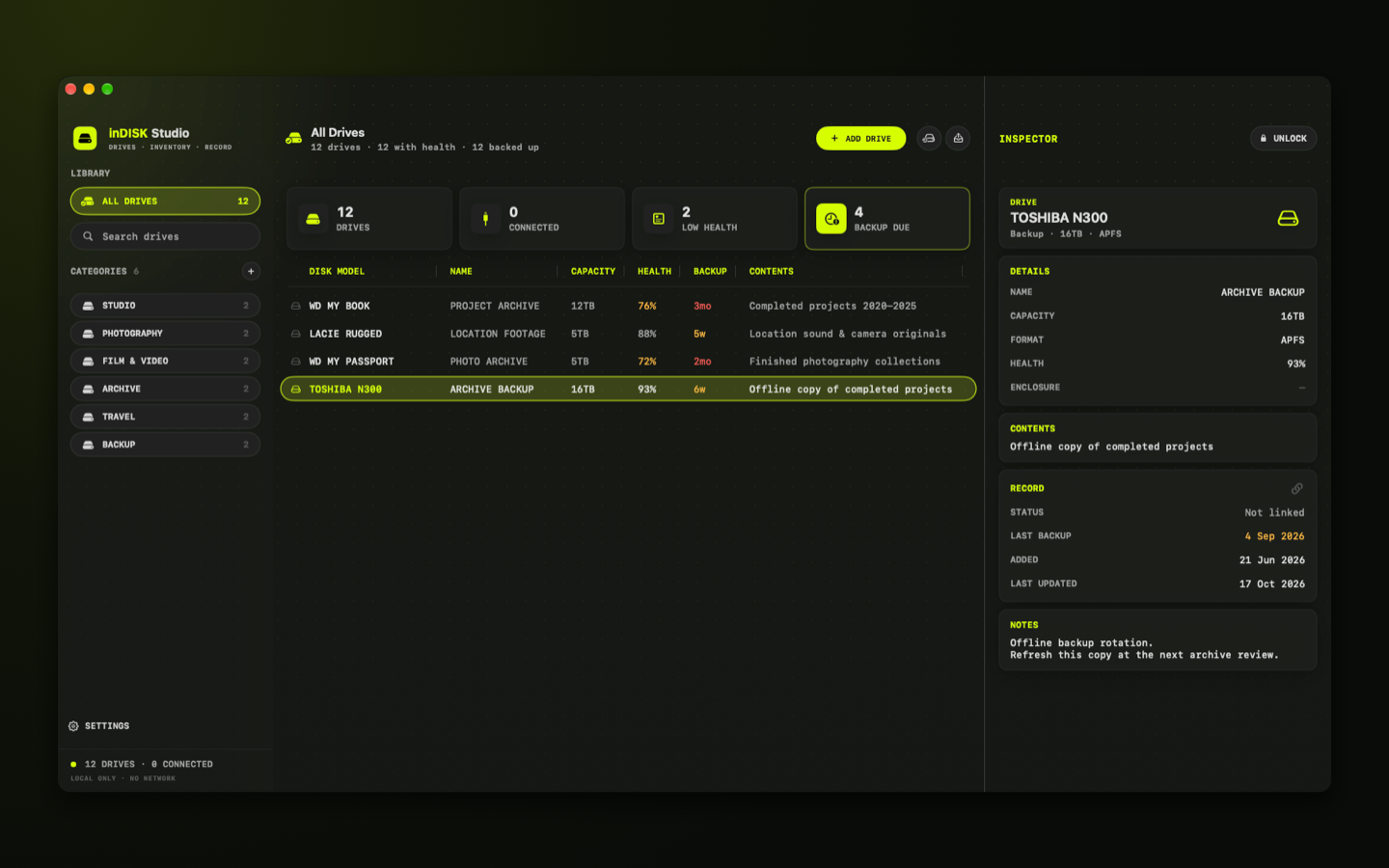
Stay on top of backups
Record health and the last backup. Backups older than 30 days turn yellow, and older than 60 days turn red.
- 04
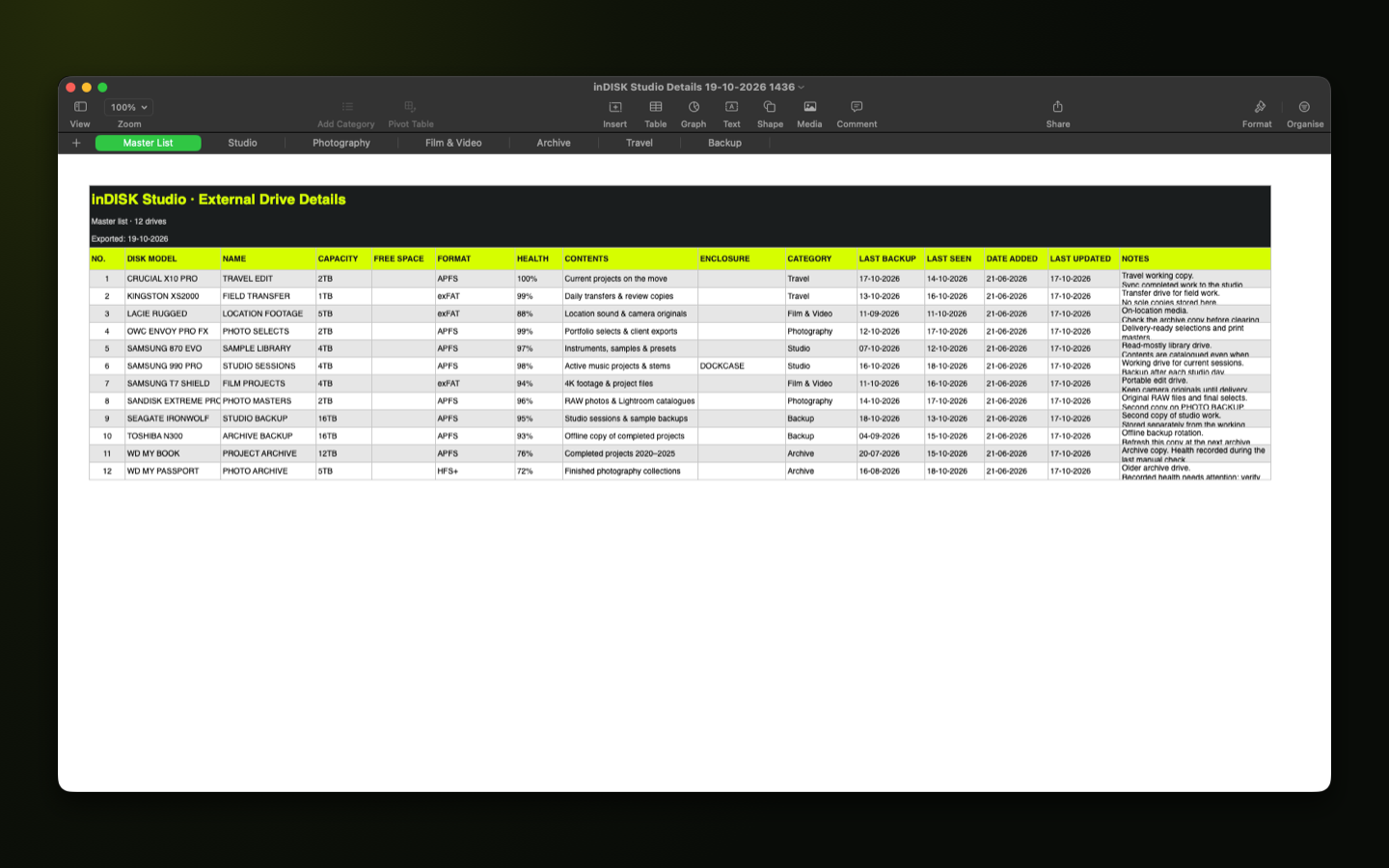
Export or back up
Save the whole catalogue as a backup to restore on any Mac, or export an .xlsx spreadsheet to share or print.
Your catalogue
- Drive catalogue with your own categories
- Health and last-backup records with age highlighting
- Search by disk model, name, contents or notes
- Drag to reorder, or copy a drive into another category
- Locked inspector: unlock to edit, changes save as you type
Private and portable
- Data backup and restore, on this Mac or another
- Spreadsheet (.xlsx) export with a sheet per category
- An in-app Guide (Help → inDISK Studio Guide)
- Everything stays on your Mac: no account, no sync, no network
- It never reads, changes or deletes the files on your drives
Details
- Version
- 1.0
- Requires
- macOS 26 or later
- Category
- Utilities
- Exports
- Backup files and .xlsx
- Data
- Not collected