
inASD Studio
HIDE · REVEAL .asd FILES
Hide Ableton .asd analysis files in Finder. Reveal them when you need them.
Nothing gets deleted.
How it works
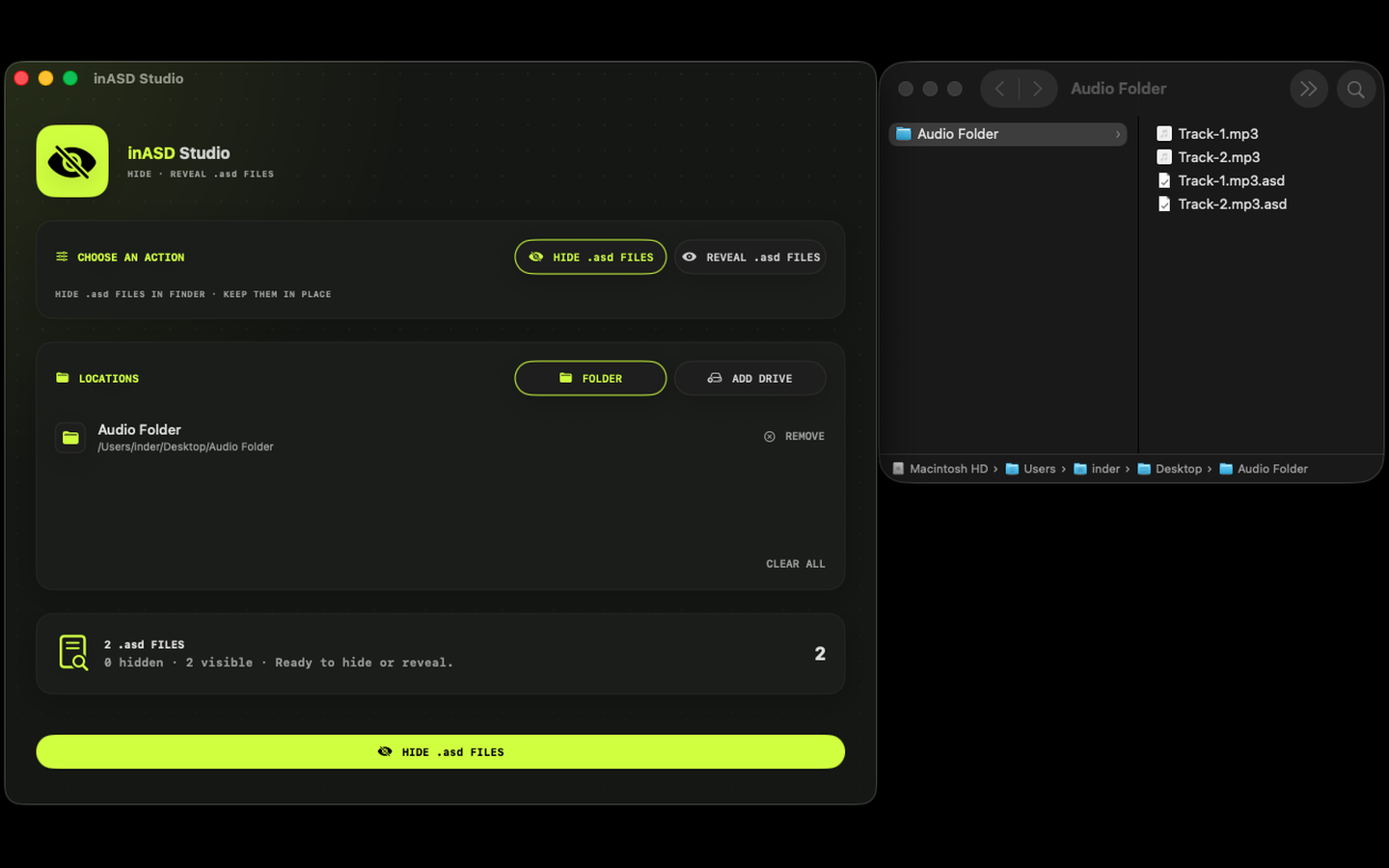
- 01
Add a folder or drive
inASD counts the .asd files in it before anything changes.
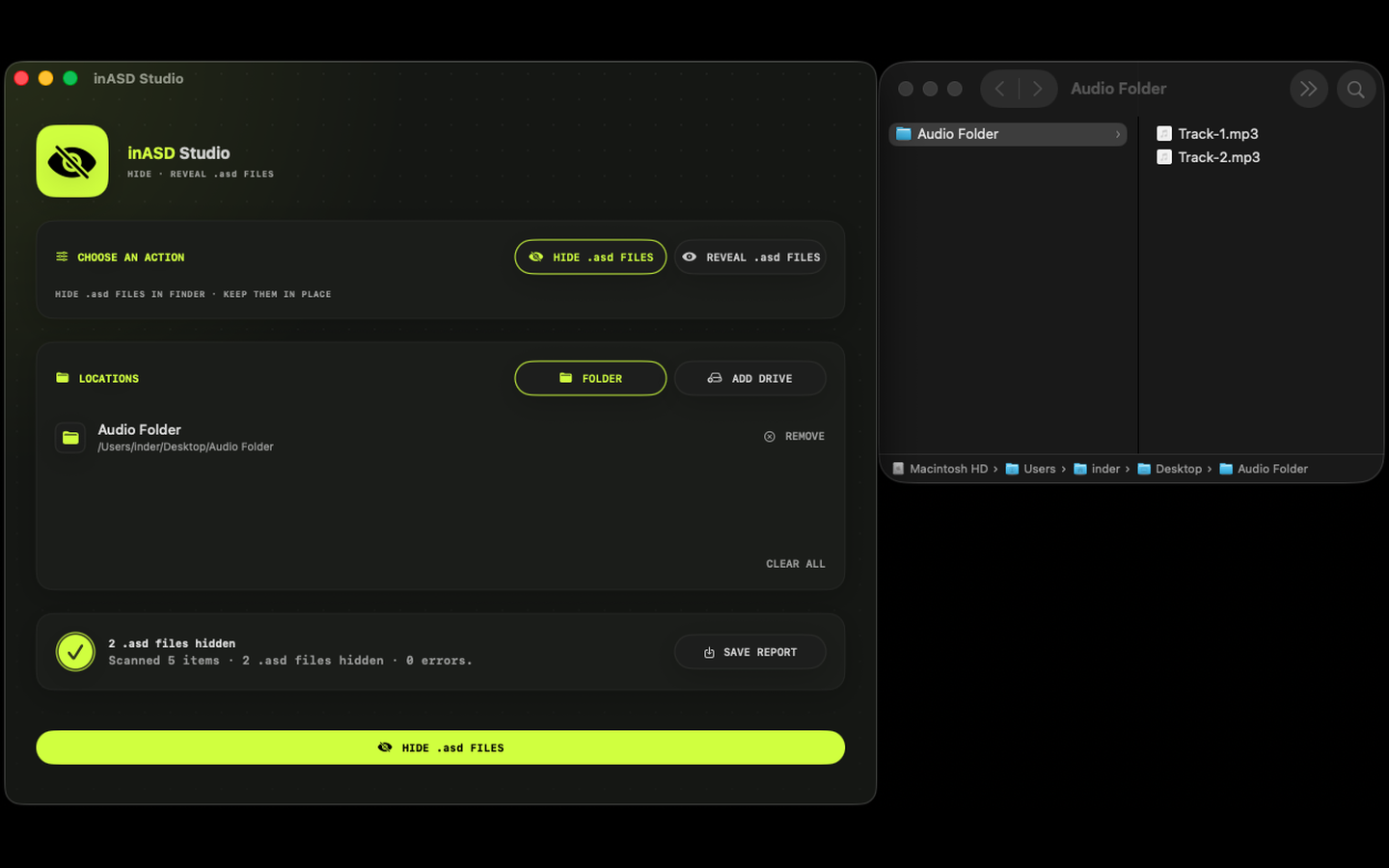
- 02
Hide
The .asd files disappear from Finder. Nothing is deleted or changed; they stay right where they were.
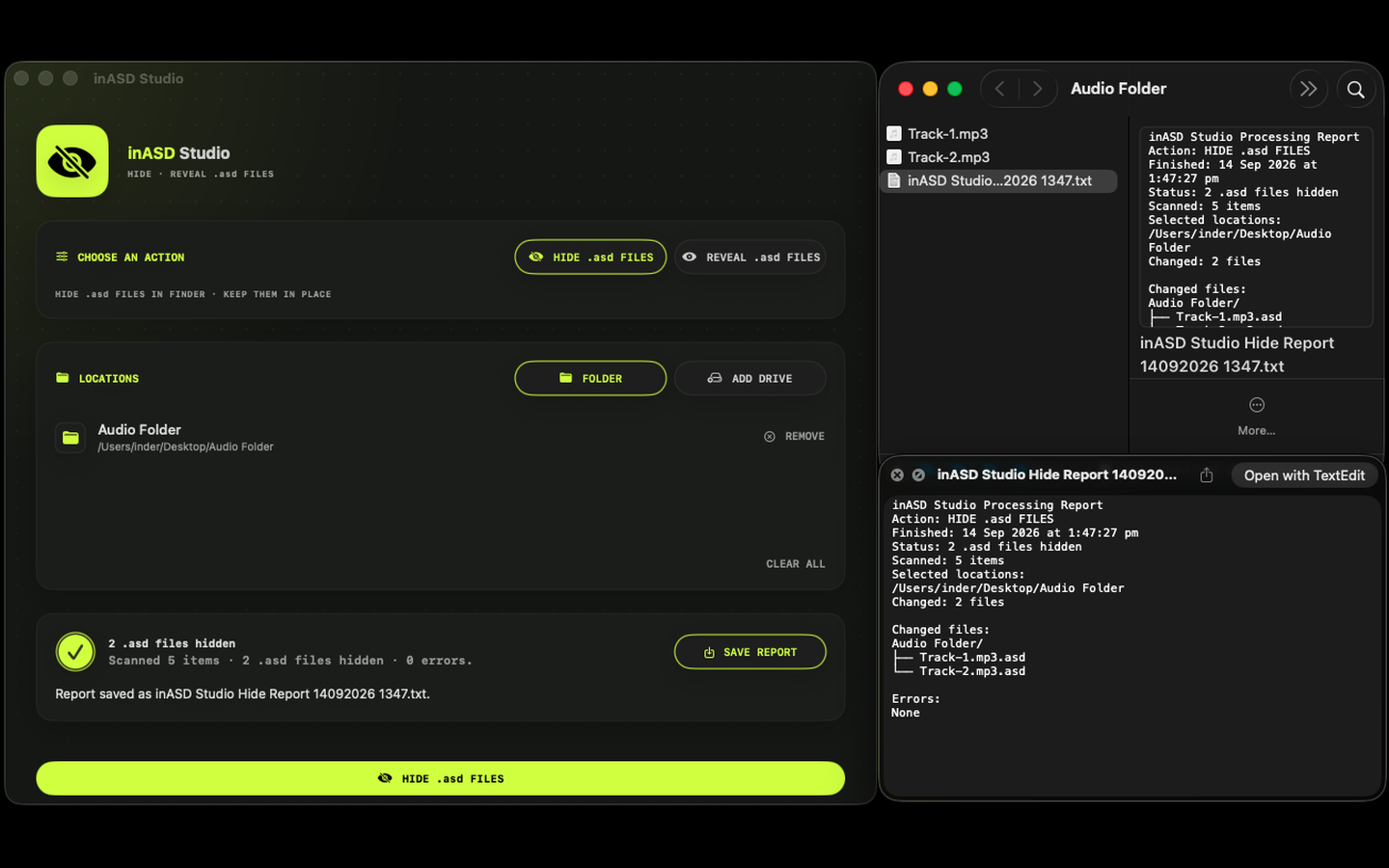
- 03
Save a report
A plain text report lists exactly what changed, or confirms nothing needed to.
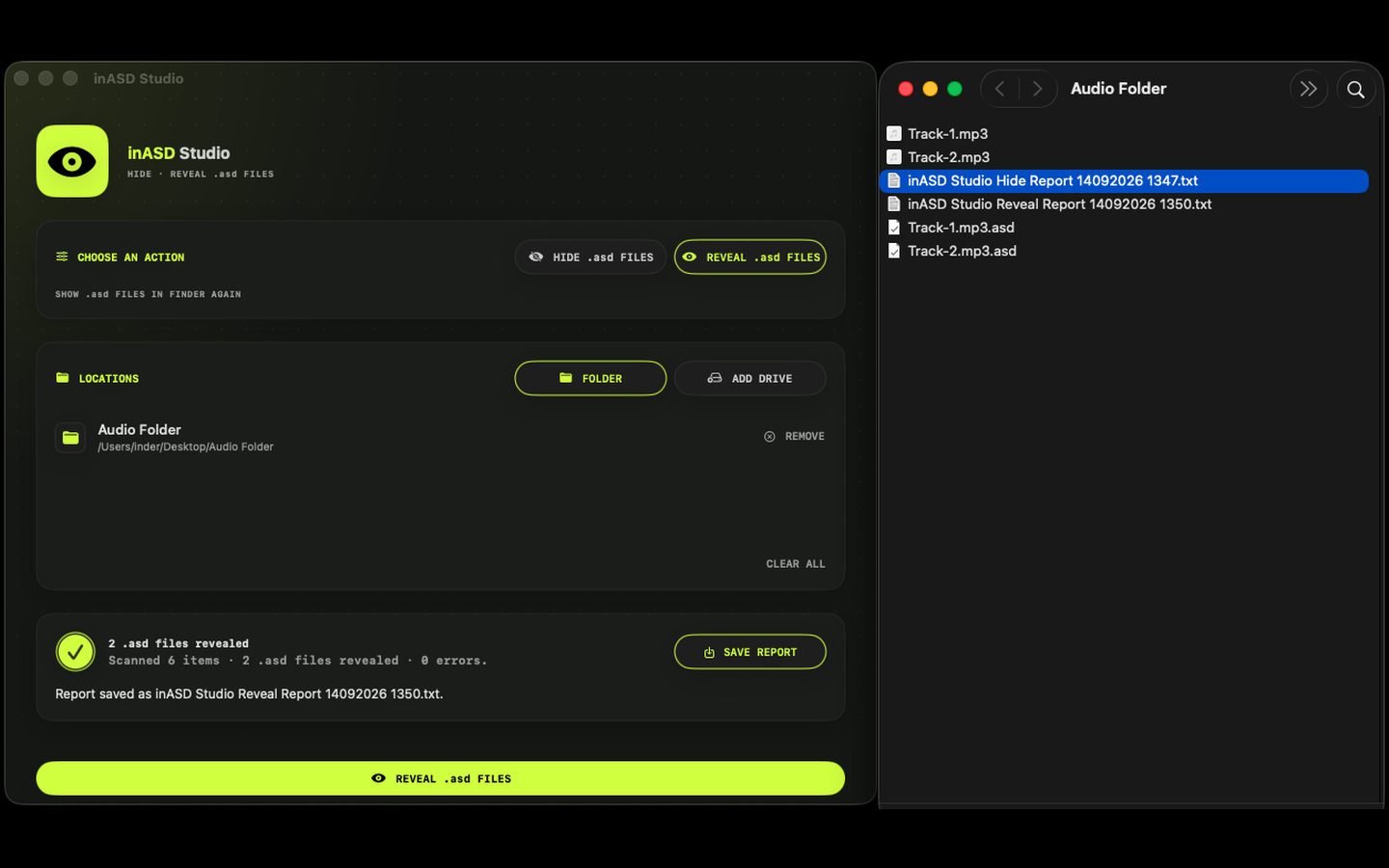
- 04
Reveal
Switch to Reveal and run again: every .asd file is back, whenever you need it.
What you can do
- Choose Hide or Reveal for .asd files
- Add folders or mounted drives
- See a live count of matching files before you run
- Cancel an operation in progress
- Save a text report of what changed
Built for producers
- Keeps .asd files in place
- Leaves other file types alone
- Works with mixed-case .asd extensions
- Sandboxed: it only sees the locations you choose
Details
- Version
- 1.0
- Requires
- macOS 15 or later
- Price
- US$4.99, one-time
- Category
- Utilities
- Data
- Not collected